post-pilot
PostPilot: plan, post and automate Instagram (Creator OS)
Created Oct 2026
Updated ARCHITECTURE.md to clarify the lifecycle of stored webhooks and provide technical guidance on troubleshooting slow Direct Message (DM) responses. This update helps developers understand how to differentiate between webhook-driven and background-sweep-driven events when analyzing latency. The documentation now explicitly maps out how comment timestamps and source origins are used to diagnose performance issues.
We identified an issue where Instagram app-generated comments were carrying null values for postId, causing schema parsing failures and forcing them into a slow polling loop rather than real-time processing. I've updated the ingestion logic to treat nulls as missing values and improved error reporting so that unparseable events are now explicitly marked as failed instead of being silently ignored. This change ensures comments and messages reach automations in seconds instead of waiting for the next 5-minute sweep. 
Added a comprehensive UI/UX playbook to document PostPilot's design language, micro-interactions, and component architecture. This guide serves as a reference for adopting PostPilot's look and feel across other projects, ensuring consistency in everything from motion and accessibility to page anatomy and state management. 
To address production issues where slow Instagram API responses were stalling the automation engine, we implemented a 12-second timeout on earlier-comments reads. Additionally, paging logic has been improved to stop reliably when no new data is found or limits are reached, ensuring server actions remain responsive. This change prevents cascading delays and provides clearer feedback when an upstream service is slow. 
We've improved how comment automations handle existing activity to prevent unwanted auto-replies. When turning on an automation, you can now selectively choose which past comments to reply to using a new checklist interface, instead of the system automatically processing everything. This update also fixes a bug where the 5-minute sweep would repeatedly re-trigger on old comments, ensuring smarter, safer engagement. 
Google's push service returns a 201 status for all requests, regardless of whether the browser actually receives the notification, making it impossible to distinguish between successful delivery and silent failures. To address this, I implemented a receipt mechanism where the service worker confirms delivery back to the server using the subscription's auth secret. The application now tracks unconfirmed pushes per device and alerts users in the app settings if their device stops receiving notifications, providing clear instructions for manual resolution. 
We've enhanced the push notification test flow to detect when a browser's subscription has gone stale—where the push service accepts messages but fails to deliver them. The service worker now reports delivery attempts back to the UI, allowing the app to automatically renew the subscription and re-test if a notification fails to arrive. This makes troubleshooting notification issues much more autonomous and reliable. 
Added a note to learnings.md explaining that sr-only utility classes do not prevent tables from affecting the document layout. Setting height: 1px and overflow: hidden on a table tag is insufficient because tables ignore these properties, which led to an unexpected scroll area expansion. The fix is to apply sr-only to a wrapper div instead of the table itself. 
Updated the SrTable component to wrap the table in a div for screen-reader hiding instead of applying the class directly to the table element. Previously, tables were ignoring standard height constraints and causing extra vertical space in layouts. This change ensures screen-reader-only content doesn't disrupt the page structure. 
Increased the phone preview size on the post page by 20% to reduce empty space and improve visibility on desktop. This change uses CSS zoom to maintain proportional scaling of all UI elements within the preview.
Increased the phone preview size by 20% on desktop view to better utilize available space and reduce unnecessary padding in the post detail page.
We have implemented a extensive motion system across the entire application, introducing smooth transitions for page navigation, element interactions, data visualization, and even celebratory confetti for key milestones. Alongside these UI enhancements, a new Followers card has been added to provide detailed growth analytics, milestone tracking, and automation performance insights. This update significantly elevates the overall user experience through more cohesive, fluid interactions. 
This update introduces comprehensive list and grid views for Posts and Automations, enabling better data visualization with metrics like views, engagement stats, and automation funnels. Users can now perform bulk actions—such as deletion, scheduling, and automation toggling—with intuitive selection controls. Additionally, I've documented a resolution for the persistent 'next dev' HMR reload loop issues encountered during development. 
Users can now dismiss specific warnings in the 'Needs you' section, addressing feedback that there was no way to clear them. This update adds a dismissal button to relevant warnings, which hides current items based on a per-kind timestamp stored in the account settings, while ensuring any new issues are surfaced again. An undo option is available via toast notification for convenience. 
Updated architecture documentation, learnings, and TODO lists to reflect the current state of home page analytics, automation management, content freshness, and setup/connector flows. These updates ensure the project documentation stays in sync with recent feature developments and provides a clear guide for upcoming tasks. 
We've added support for using your personal Claude plan to generate captions and carousel outlines directly within the platform. Users can now leverage Claude's capabilities for high-quality content drafts, which are saved and ready for final polishing and image generation. Additionally, new AI-powered prompts have been added to the settings menu to streamline your workflow. 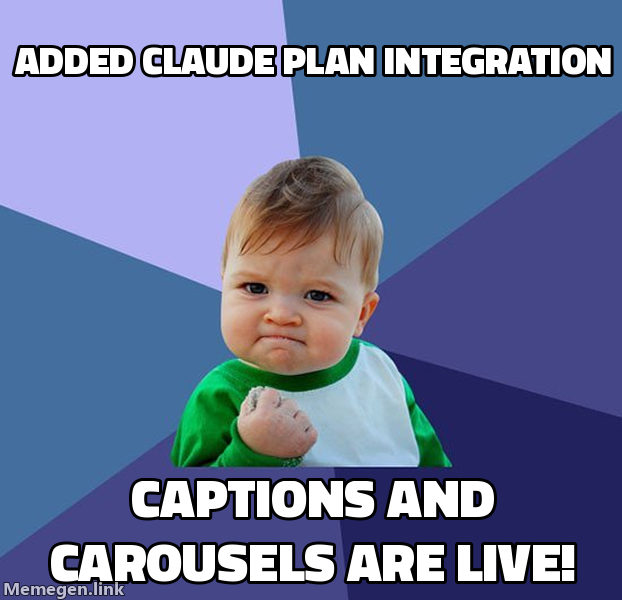
Fixed a minor geometry bug in the brand logo where the paper plane's tip included an unintended hook due to overlapping edge paths. The path has been corrected to a clean, rounded corner, and the plane's centering has been adjusted for better visual balance. These changes propagate to the favicon, app icons, and throughout the UI. 
We've introduced a comprehensive, step-by-step onboarding experience designed to guide new owners through PostPilot's key features with one action per screen. The flow includes progress tracking, clear goal setting, and persistent state management, allowing users to pause and resume setup easily from the new 'Back to setup' links. This update significantly lowers the barrier to entry, ensuring users reach their first wins faster. 
Optimized navigation by leveraging browser caching for pages visited within 30 seconds and introducing a proactive 'freshness' mechanism that syncs data via server actions and periodic background revalidation. This eliminates skeleton screens for repeat visits and ensures data remains current without unnecessary API overhead. Additionally, fixed calculation logic for automation reporting and funnel metrics. 
We have overhauled the automation user experience by separating the automation management into distinct 'Overview' and 'Edit' views. Clicking on an automation now navigates to a new analytics-focused overview page, while the builder has been moved to its own dedicated path, bridged by a new segmented tab control. This update adds comprehensive performance metrics, including funnel analysis, engagement timing, and trigger breakdowns, ensuring users get immediate insights into their automations without defaulting to edit mode.